Assigning a value to a calculation result

(David Grünbaum) #1

Hi, I’m looking to assign a specific value to a calculation result. If the result from the calculation is lower than 5, i want to give it value 5, If the result is lower than 10 but higher than 5 I want to give it value 4 etc.

Is there an easy way to do this?

I found a way to do this by having 5 different questions filtered depending on the result of the calculation with a choice button, which then is assigned with a value. However the solution feels more like a work-around.

(Daniel Beckett) #2

Hi @david1

Just to clarify, are you only working with numbers 1 through 10? i.e. 1 through 5 should = 5 and 6 through 10 should = 4?

(David Grünbaum) #3

I’m working with different numbers for different parameters, but I want to assign a “grade” 1-5 to the result of the calculations.

(Daniel Beckett) #4

It sounds like you’re already using filters to assign a value to an attribute based on specific conditions so I’m not sure there’s really a simpler alternative for you here unfortunately.

If you’re confident with JavaScript then the Code service could potentially be used since you can pass in all of your inputs and carry out calculations / conditional checks within the code block.

(David Grünbaum) #5

Right now I’m doing the following:

Calculation
format
question with a choice (which holds a value). The question is filtered based on the result of the calculation.
Update row
Repeat the above 5 times with different values and different filters.

I haven’t been able to get the attributes to work properly when assigning a value.

I really need to step up the game when it comes to my javascript skills :slight_smile:

(Daniel Beckett) #6

I’m still a bit hazy when it comes to picturing what you’re trying to achieve here so i’m not sure if the method you’re using is necessarily the ‘best’ one.

If I was to take your basic example from above where I’m only dealing with 10 numbers and 2 possible outcomes I’d handle it something like this:

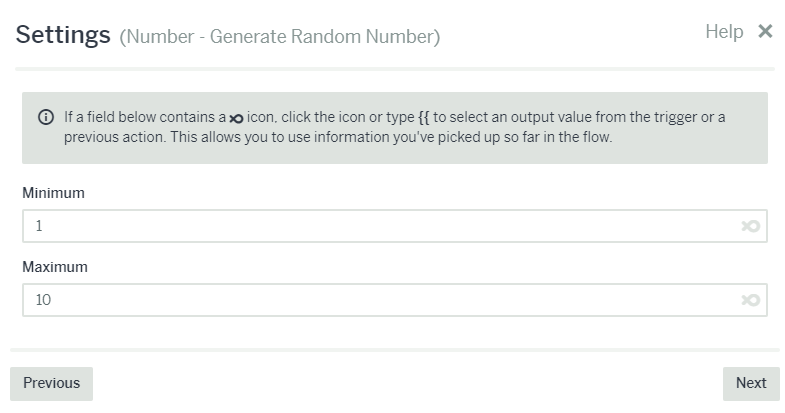
1 - Generate random number (I’m using this in place of your calculation but I think it works for the demonstration :slight_smile:)

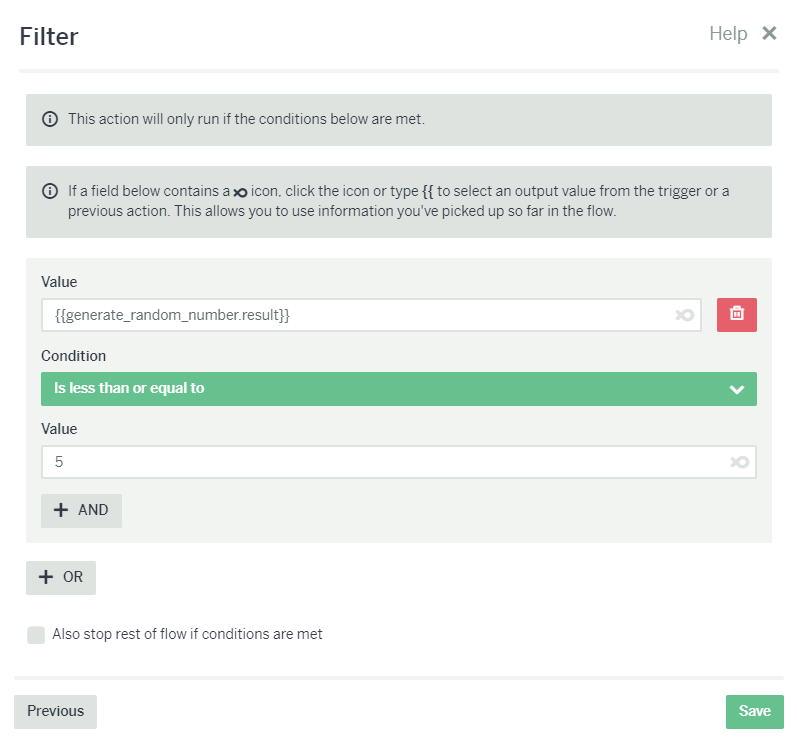
2 - Send Message 1 if the number is equal to or less than 5

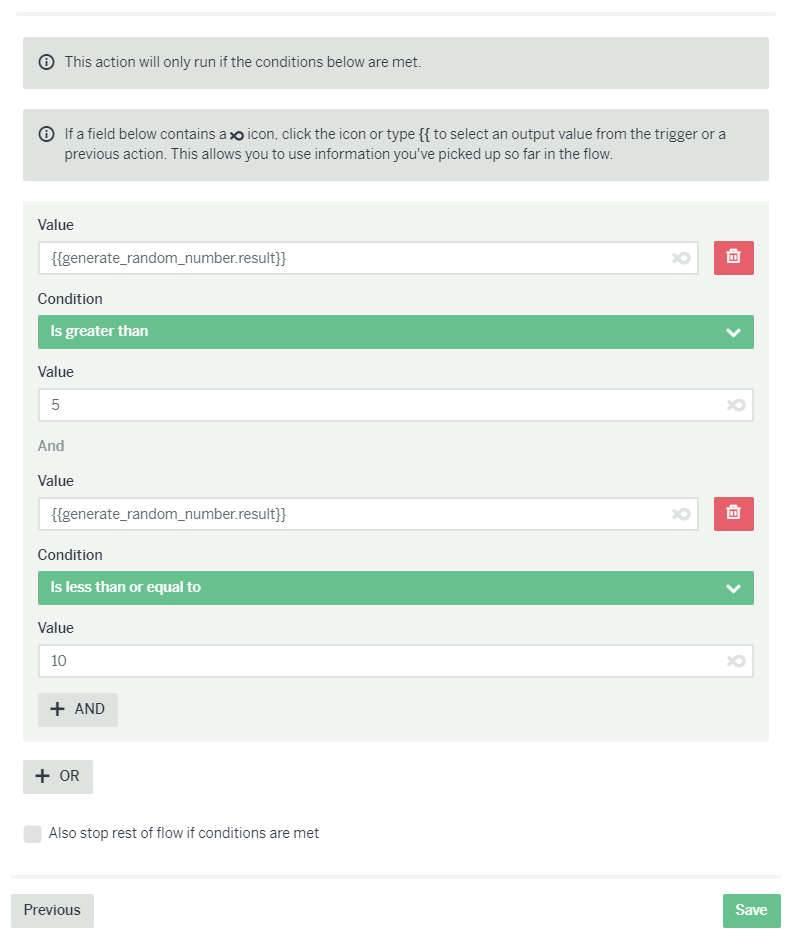
3 - Send message 2 if the number is greater than 5 AND less than or equal to 10

Here’s an example flow:

Is that similar to what you’re trying to do?